
Built for Resend and Mailgun
Email delivery monitoring.
On your iPhone.
Monitor Resend and Mailgun, track failed emails and bounces, and inspect delivery events wherever you are. A native iPhone app for developers who need answers away from their desk.
Keychain-only
API keys
API keys
Face ID
key protection
key protection
Push alerts for
email events
email events
Workspace-based
controls
controls
R
RESEND
Supported
@
MAILGUN
Supported
Next on the roadmap
SendGrid
P
Postmark
aws
Amazon SES
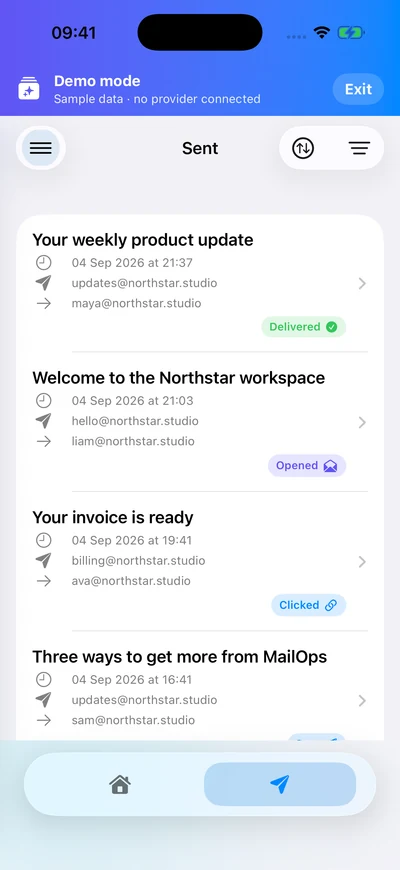
In development · iOS 18.2+ · Screens show demo data.
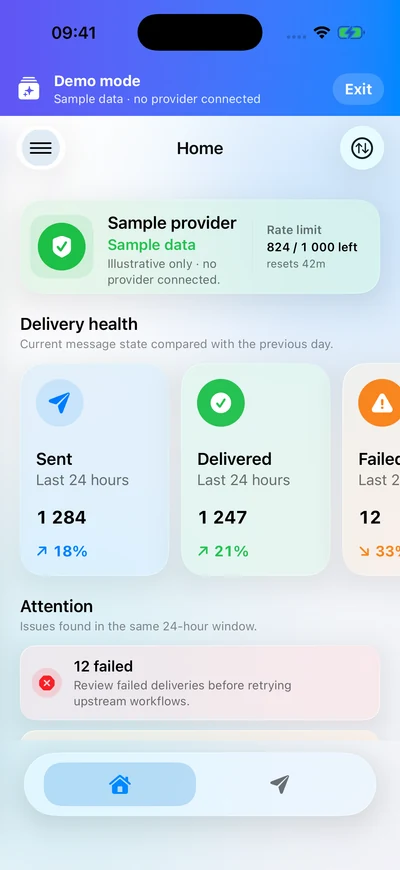
Email delivery tracking
Check 24-hour delivery counts, trends, and messages that need attention.
- Resend and Mailgun health
- Delivery metrics & trends
- Failed, bounced & delayed
Secure provider credentials
Keys stay on device in the iOS Keychain.
- Keychain-only storage
- Per-workspace keys
- Never synced to servers
Email bounce alerts
Connect provider webhooks and choose the email events that reach your phone.
- Delivery failure notifications
- Workspace & domain preferences
- MailOps Pro feature
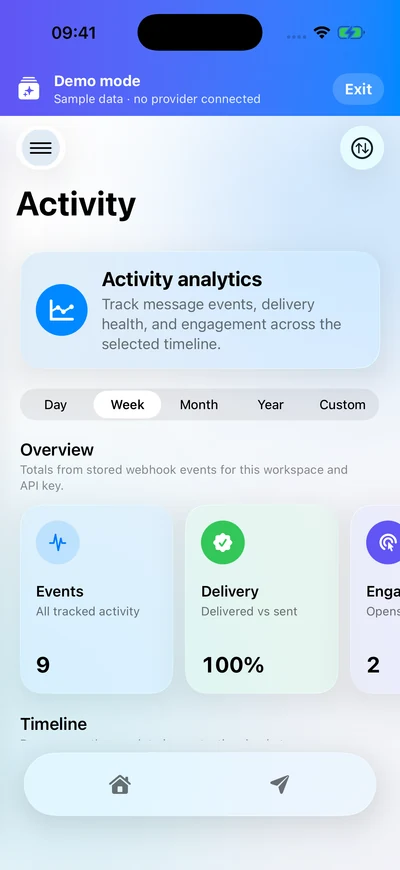
Email activity analytics
See how delivery health and engagement change over time.
- Day, week, month & year
- Custom date ranges
- Interactive event timeline
Resource visibility
Browse and inspect provider resources.
- Templates, Sent, Inbound
- Automations, Events
- Topics, Domains, API Keys, Logs
Home Screen widgets
Keep an overview of your email delivery health on your iPhone Home Screen.
- Delivery Health
- Problem Queue
- Recent Events
Mobile-first by design
Designed for iPhone with iOS 18.2 or later. Explore sample data in the built-in demo.
Sign in your way
Use email/password or Sign in with Apple for your MailOps account.
Roadmap
SendGrid, Postmark, and Amazon SES are planned; they are not available yet.
Built for the on-call check
Did that email actually get delivered?
Password resets, receipts, and account notifications deserve the same attention as the rest of your app. MailOps brings transactional email monitoring to your phone.
Check a failed delivery
Review failed, bounced, and delayed messages in the dashboard, then inspect sent email and provider events for context.
Understand email delivery status →Monitor your email provider
Connect Resend or Mailgun, check connection health and available rate limits, and keep each workspace’s activity in view.
Explore Resend and Mailgun support →Choose useful alerts
Use webhook-based push notifications for the events and domains you care about. Live monitoring, analytics, alerts, and widgets require MailOps Pro.
See what MailOps Pro includes →Before you connect
Questions about MailOps
What is MailOps?
MailOps is an iPhone app for monitoring transactional email sent through Resend and Mailgun. It brings delivery health, sent email, provider events, alerts, and resources into a mobile dashboard for developers.
Can I download MailOps yet?
MailOps is in development. There is no public App Store or TestFlight link yet. See launch information for the current status and contact details.
Does MailOps work with Resend and Mailgun?
Yes. The current app supports both providers. Resend offers sign-in or API-key connections; Mailgun uses an API key. Resources and message history differ by provider. Compare provider support.
Can I try the app without connecting an email account?
The app includes an Explore Demo option with sample data. No MailOps account or provider credentials are needed for the demo. Live data requires a connected provider, and live monitoring features require MailOps Pro.
Is this an email inbox or an email sending app?
MailOps helps developers inspect email delivery and provider resources. It does not send email or replace a personal Gmail, Outlook, or Apple Mail inbox.
Where are my provider credentials stored?
Provider API keys stay on your device in the iOS Keychain. If you connect Resend with OAuth sign-in, its tokens are encrypted on the server; the device stores a non-secret connection reference. Read the Privacy Policy for details.